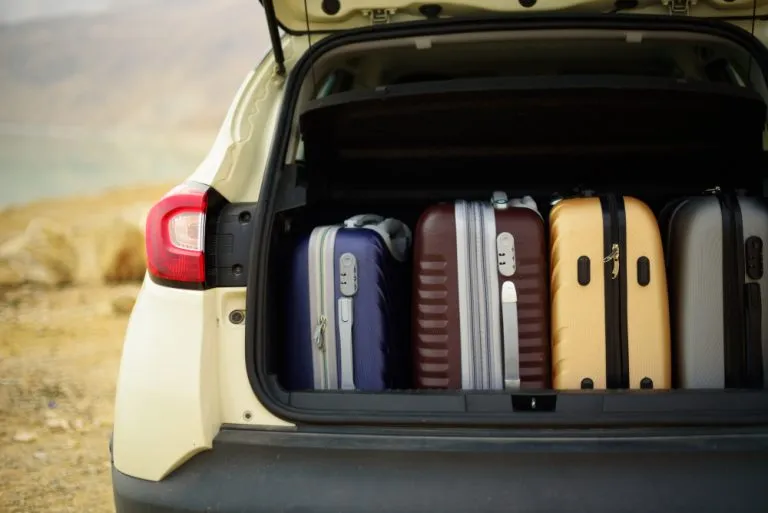
How to plan a road trip that is more fun than stressful

A good road trip plan sets where you sleep each night, picks a few worthwhile stops in between and leaves room for detours. Wander Off is a free road trip planner app for iPhone and Android where you add those stops to the Plan tab by day, book stays in the Tickets tab and let your photos land on the right day and place. You get structure without losing the freedom that makes a road trip fun.
What you are trying to do on a road trip
A road trip is different from a city break. The journey is part of the trip. You want to see the big sights, but you also want the diner nobody has heard of, the overlook you did not expect and the small town worth a walk.
At the same time, you need a few things nailed down. Where are you sleeping tonight? How far is it? Where is a good place to eat on the way? What is the one stop you would regret skipping?
What goes wrong on road trips
- Too many miles, too little trip. Long driving days back to back leave no energy for the places you came to see.
- No bed booked. Arriving late in a busy area with nowhere to stay is a classic road trip mistake.
- Stops are an afterthought. Without a plan, you drive straight past the places you meant to see.
- Everyone has different ideas. The driver wants to push on, the passenger wants to stop at every viewpoint.
- Photos become one long blur. Hundreds of shots of road, sky and rest stops with no sense of where any of them were.
Planning a road trip in Wander Off
1. Create the adventure
Every trip is an adventure in your travel trunk. Set your dates and name the trip. Invite anyone coming along.
2. Lock in your overnight towns
Start with where you will sleep each night. These are the backbone of the trip. Then book them in the Tickets tab, which holds hotels, flights and things to do booked in the app. Prices stay private, which is handy when friends are splitting rooms differently.
3. Add stops to each day
In the Plan tab, add places for each day: restaurants, sights, excursions, nightlife and shopping. On a road trip, that usually means:
- One main sight worth planning the day around, like a canyon rim, a park or a historic downtown.
- A meal stop at a place you would not find by chance.
- One optional stop you can drop if the day runs long.
4. Let your passengers vote
Everyone on the trip can vote on places. It is a fair way to settle the "should we stop" debate before you are on the highway. If everyone voted for the scenic detour, you take it.
5. Ask the AI Travel Concierge
When you are not sure where to stay between two long legs, or you want ideas for a stop, ask the AI Travel Concierge. It answers questions and finds flights, stays and things to do in a chat.
6. Log the road as you go
At each stop, open the Log tab. Mark the place visited, rate it, write a short review and pick a cover photo. It takes a minute while someone else is getting coffee.
7. Let the photos sort themselves
Photos and videos land on the right day and place automatically. On a road trip with dozens of stops, this is the difference between a meaningful album and a camera roll full of mystery landscapes. If you use Google Photos, you can connect it and every adventure gets its own album there.
A sample road trip day
Here is a rhythm that works for a lot of people:
- Morning: breakfast near your hotel, then the day's main sight while it is quieter.
- Midday: drive the longer stretch, with a lunch stop you planned in advance.
- Afternoon: an optional stop if time allows, then arrive at your next town with daylight to spare.
- Evening: dinner close to where you are staying and an early night.
National parks are classic road trip anchors. Our Grand Canyon South Rim itinerary and Yellowstone 3 day itinerary are good examples of stays worth building a few days around. Check current road and park conditions before you go, since they can change with the season.
Comparing ways to plan a road trip
A paper atlas and notes
Romantic and reliable without signal, but your stops, bookings and memories end up in different places.
A spreadsheet
Great for counting legs and nights. Less great on a phone in a moving car, and useless for photos.
A notes app
Easy to jot ideas, but no structure by day, no group voting and no bookings.
The group chat
Everyone has an opinion and none of them are saved anywhere useful.
A generic photo album
Collects pictures, but loses the story of which stop came when.
A road trip planner app
Wander Off keeps overnight stays, daily stops, votes, bookings and photos in one adventure, organized by day.
Road trip tips worth following
- Book beds before you leave, especially in popular areas and busy seasons.
- Plan a rest day every few days where you do not drive at all.
- Keep one optional stop per day so you can cut it without guilt.
- Start early on big sight days. Mornings are usually calmer at popular viewpoints.
- Share the plan with the whole car. When everyone can see the day, nobody asks "how much longer" quite as often.
If you are traveling with kids, the family vacation planner page has more ideas for pacing.
Enjoy the drive
The best road trips have a backbone of booked nights and favorite stops, plus room to pull over when something catches your eye. Put it all in one adventure, let everyone vote on the detours and let your photos land on the right day and place.
Download Wander Off for iPhone or Android and start planning your next road trip.